Denver Broncos
4.43.10KReviews
Analysis ByAppCompare
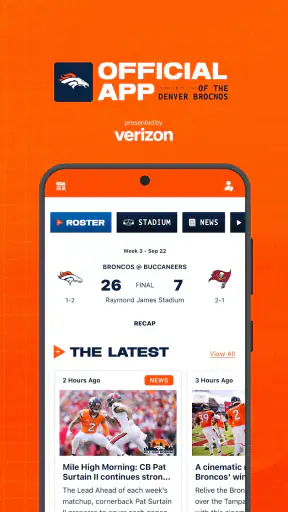
If you follow the Denver Broncos closely, the official mobile app is the most direct way I found to keep team information in one place without jumping between a browser, social feeds, and separate sports services. It is a free sports app from YinzCam, Inc., built specifically around the Broncos rather than around the entire league. That focus is its biggest strength: instead of making me filter through dozens of teams, it keeps the experience centered on Denver.
I would recommend it to someone who wants a practical companion during the season, especially when checking team news, schedules, scores, and other Broncos-related updates from a phone. I would not treat it as a complete replacement for a broad sports app, live television service, or detailed statistics platform. Its job is narrower, and the app makes the most sense when that narrow focus matches what you actually want.
How I use the app as a Broncos fan
My usual workflow starts with opening the app when I want a quick team-specific check rather than a general sports briefing. The official branding makes it easy to recognize, and the layout is organized around the Broncos’ current activity. I can use it as a quick daily check-in, then return during a game or after an important team update when I want information connected to Denver instead of a stream of unrelated league stories.
That distinction matters. A general sports app is usually better when I want several scores at once, fantasy information, league-wide headlines, or comparisons across teams. The Broncos app is better when the question is simply, “What is happening with Denver?” I spend less time searching for the team, and the official presentation gives the experience a more focused feel than a generic score page.
The app has been available since Dec 16, 2011, so it is not a new experiment that appeared only for a single season. Its current version is 3.7.0, and it requires OS 10 or later. That makes checking compatibility important before installing, particularly if you use an older phone or keep an older operating system for practical reasons.
A realistic everyday use case is a game-day commute. Before leaving, I open the app to check the upcoming Broncos context. Later, when I have a short break, I return for a quick update instead of opening a browser and navigating through several pages. After the game, I use the same app as a team-specific reference point. This repeatable habit is more useful than constantly browsing because it gives me a simple rhythm: check before, glance during breaks, and review afterward.
The best way to think about this app is as a focused Broncos dashboard, not as an all-purpose sports command center. That expectation keeps the experience satisfying. If I install it expecting every advanced tool found in a major sports platform, I may find it limited. If I want a clean team home base, its purpose becomes much clearer.
What I check before and during a game
Before a game, I use the app for orientation rather than trying to consume every available item. I look for the information that helps me understand what is happening around the team, then close it. This is a useful approach because official team apps can become distracting when a fan keeps refreshing without a specific reason.
During a game, the app works best as a companion for short visits. I may check it when I cannot watch continuously or when I want a Denver-centered update while following the action elsewhere. I would not rely on it as my only source for a full broadcast experience. A dedicated live viewing service remains the better choice for video, while a league-wide score app may be faster for monitoring several games at once.
One practical tip is to decide what you want from each visit before opening it. If I only need a Broncos update, I avoid wandering through unrelated sections. That small habit makes the app feel faster and reduces the temptation to treat it like a social network. It also helps preserve the app’s main advantage: team-specific attention.
Settings and phone habits worth checking
When I install an official team app, I do not immediately leave every alert option enabled. I first consider how often I want to be interrupted. A fan who wants every meaningful update may prefer a more active notification setup, while someone who checks manually may find frequent alerts unnecessary. The right choice depends on whether the app is meant to be a live companion or a quiet reference tool.
I also recommend checking the app’s notification behavior alongside the phone’s own notification controls. If an alert is important, the phone must allow it to appear clearly. If the app becomes too noisy, the system-level controls are the quickest place to reduce interruptions. This is not a Broncos-specific trick, but it matters more in a team app because the value of alerts depends heavily on timing and personal interest.
Another useful habit is to keep the app easy to reach on game days. I place it where I can open it without searching through several screens. That sounds minor, but it changes the workflow: I am more likely to use the official app for a quick check when access is immediate, and less likely to default to a browser search.
The app is free, which removes the usual purchase decision before trying it. It is also rated for Everyone, so its general audience is broad. Still, “free” does not mean it should occupy unlimited attention or storage on every phone. If you rarely follow the Broncos, a browser bookmark or a general sports app may be enough. The dedicated installation is most worthwhile when Denver is one of the teams you check repeatedly.
The public response is strong, with an average rating of 4.4 from around 12 thousand ratings and roughly 3.1 thousand written reviews. I read that as a sign that the app serves its core audience well, not as proof that every user will prefer it. Team loyalty plays a major role here: a Broncos supporter is likely to value the focus more than someone who follows many teams equally.
Faster patterns for repeat users
Experienced use is less about discovering a secret button and more about building a repeatable pattern. I open the app at predictable moments: before a game, during a break, and after the final result. Between those moments, I do not keep checking automatically unless I am actively following a developing story. This keeps the app useful without turning it into background noise.
A second pattern is separating “quick checks” from “reading sessions.” For a quick check, I look only for the current team situation and leave. For a reading session, I give myself time to explore the available Broncos material. Mixing both purposes can make the app feel cluttered because I am trying to consume everything when I only needed one answer.
I also compare the app with my other sports tools instead of forcing one service to do everything. The Broncos app is my team-specific source. A broader sports app remains my choice for league-wide scores and multiple teams. A news reader may be better for wider reporting and analysis. This combination avoids a common mistake: judging the official app unfairly because it does not behave like a completely different category of product.
For someone who follows the Broncos casually, a once-a-day check may be enough. For a devoted fan, the app can become a reliable anchor during the season. The difference is not necessarily a special feature; it is the way the app reduces repeated searching. I know where to begin, what team I am looking at, and why I opened it.
Another practical workflow is to use the app for confirmation rather than rumor hunting. Social media can surface information quickly, but it also mixes speculation, reactions, and unrelated posts. When I want the official team context, I prefer opening the dedicated app first. That does not replace independent reporting, but it gives me a cleaner starting point before I decide whether I need more detail elsewhere.
Where the focused design reaches its limits
The same specialization that makes the app convenient can also make it feel narrow. If I want to compare the Broncos with several opponents, track a full slate of games, follow fantasy performance, or analyze detailed league trends, I would choose a broader sports service. The official app is not the tool I reach for when my attention is spread across many teams.
It is also not the right choice for someone whose main goal is watching live video. An official team app can support the surrounding experience, but a dedicated streaming option is usually more appropriate for uninterrupted viewing. I would use the Broncos app beside that service, not assume it replaces it.
There is a similar trade-off with long-form analysis. The app’s value comes from keeping Broncos information close at hand, while specialist sports publications may offer deeper tactical breakdowns, extensive commentary, and broader context. If you enjoy analysis more than updates, the app should be considered a companion rather than your only source.
Users should also remember that a team app is most valuable when they already have a strong connection to that team. Someone who follows the entire league may install it temporarily around a particular matchup, but the focused layout may not justify permanent space on the phone. In that case, a general sports app can provide better coverage with fewer separate installations.
The operating-system requirement is another practical boundary. Because the app needs OS 10 or later, I would check the phone before planning to rely on it for a game day. This is especially important if the device is old or has not been updated recently. Compatibility is easy to overlook when an app appears free and familiar.
Finally, official apps can encourage frequent checking because they place team information close to the user. I find the experience better when I control the rhythm instead of opening it automatically every few minutes. The app is useful as a deliberate tool; it becomes less useful when it turns into an endless refresh loop.
Who should install it
I think this app is a good fit for Broncos fans who want a dedicated team space and prefer official information presented around Denver. It is especially suitable for people who frequently check one team rather than several, and for fans who want a simple routine before and after games.
It is also a reasonable first download for a newer fan. The focused identity makes it easier to begin with one team instead of learning a large sports platform filled with options. A more experienced sports user may still appreciate it as a shortcut, even while keeping other apps for league-wide coverage and deeper analysis.
I would skip it if you rarely follow the Broncos, need comprehensive coverage of many teams, or mainly want live video. In those situations, the extra specialization may not provide enough value. A general sports app, a news source, or a streaming service would better match those priorities.
The app is free, and its Everyone rating makes it approachable for a broad audience. Its popularity is reflected in more than 500 thousand installs, but I would still make the decision based on your habits rather than the install figure. If you will open it regularly, the dedicated experience makes sense. If not, a less specialized alternative may be more efficient.
My verdict after building a regular routine
After using it as a focused Broncos companion, I see the main appeal clearly: it reduces the distance between me and the team I care about. I do not need to begin with a general sports homepage and filter down to Denver every time. The app gives me a repeatable starting point, which is exactly what I want from an official team application.
Its strongest use is not a single dramatic feature but the combination of focus, convenience, and habit. I can check in before a game, return during breaks, and use it afterward without changing platforms. That workflow feels natural for a dedicated fan and less useful for someone whose interests are spread across the league.
My recommendation is therefore straightforward: install it if the Denver Broncos are one of your main teams and you want a free, team-centered sports app. Keep a broader service nearby if you need multi-team scores, deeper statistics, or wider analysis. Used in that role, Denver Broncos is a practical daily companion rather than an overloaded sports suite.
YinzCam, Inc. has kept the product’s identity clear: this is the official mobile app of the Denver Broncos, and it succeeds when it stays close to that purpose. I would not choose it for every sports need, but I would recommend it to a Broncos fan who wants fewer searches, a more consistent game-day routine, and one dependable place to begin.
FAQ
What is the Denver Broncos app used for?
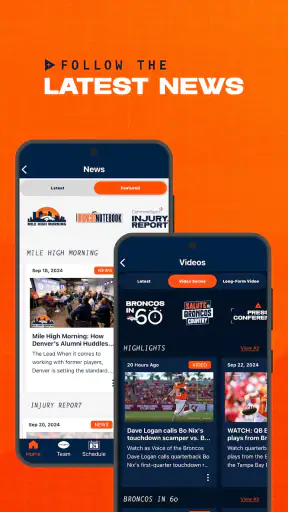
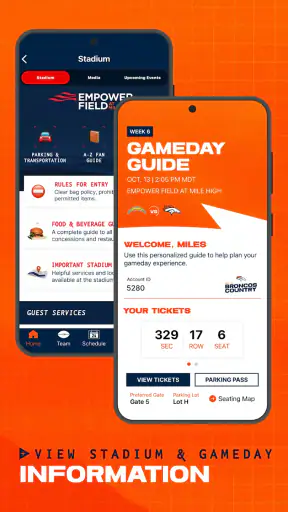
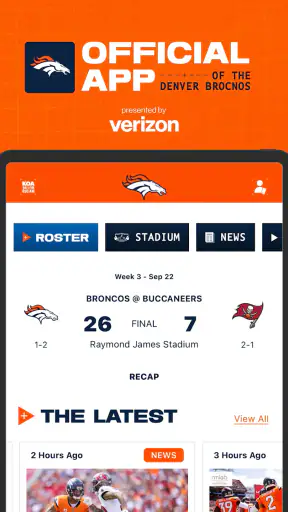
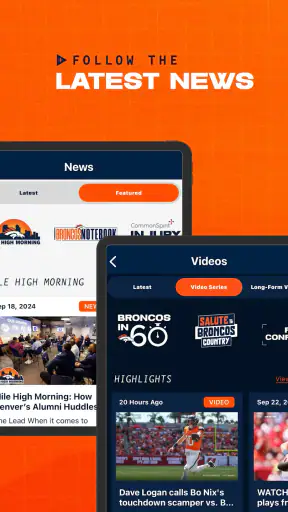
The Denver Broncos app is designed for fans who want quick access to team news, schedules, scores, rosters, statistics, videos, and official announcements. During the season, it can also provide game-day information, live updates, ticket details, stadium guidance, and team content. It is a convenient companion for following the Broncos without relying on several separate sports or social media apps.
Can I watch Denver Broncos games through the app?
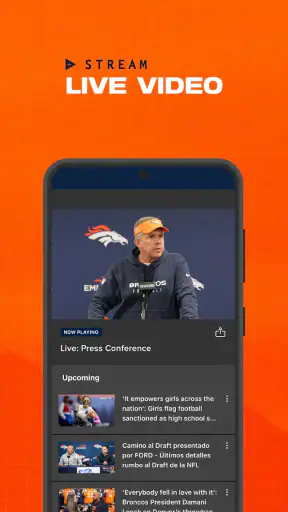
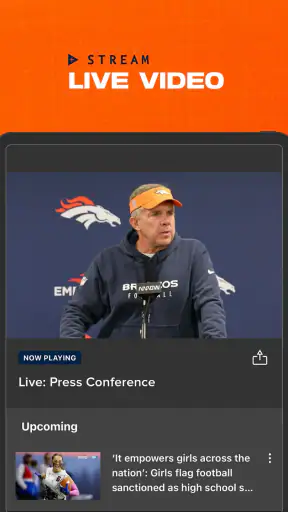
The app may provide live game tracking, play-by-play updates, scores, highlights, interviews, and other real-time content, but it does not necessarily include a full live broadcast of every game. Streaming availability depends on broadcasting rights, your location, the specific competition, and whether you have an eligible television or streaming subscription. Check the current in-app options before assuming a game can be watched there.
Does the Denver Broncos app require an account or payment?
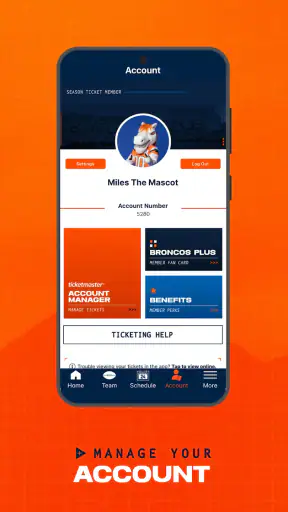
Many basic features, such as reading news, checking schedules, viewing scores, and browsing team information, are generally available without a paid subscription. However, certain services may ask you to create or connect an account, especially ticket management, personalized notifications, loyalty features, or purchases. The app itself may be free to download, while tickets, merchandise, premium content, and third-party streaming services can cost extra.
Can I use the app for Denver Broncos tickets and stadium information?
Depending on the current version and your event, the app may help you access mobile tickets, review event details, find stadium policies, and receive directions or game-day updates. Ticket functionality can require signing in with the account used for the purchase, and some features may redirect you to an official ticketing service. Always open your tickets before arriving and keep a backup plan if connectivity is limited.
Does the Denver Broncos app work outside Colorado or the United States?
You can usually browse general team content, including news, schedules, standings, statistics, and videos, from many locations. However, some live video, radio, ticketing, promotional, and location-based features may be restricted by regional broadcasting agreements or local availability. International users should also consider data roaming and time-zone differences. Installing the latest version and enabling notifications can help ensure that available updates reach you reliably.
Pros
- Official team news
- scores
- schedules
- and updates in one place.
- Useful for following Broncos games while away from the TV.
- Provides quick access to the latest team announcements.
- A convenient option for dedicated Denver Broncos supporters.
- Helps fans stay connected throughout the NFL season.
Cons
- Some features may require a strong internet connection.
- Game content can be limited by regional broadcast restrictions.
- Frequent notifications may feel excessive for casual fans.
- The app may use additional storage for videos and media.
- Off-season updates may be less frequent than during the season.